
Local radio. Community connections.
Highland Mesh Network
Everyone can browse approved radios. Sign in to add or manage your own; new listings and changes are reviewed before publication.
Getting neighbors talking—even when cellular service and the internet are out of reach. Explore Meshtastic and help shape our developing Highland-area radio network.
What is Meshtastic?
Meshtastic is an open-source project for exchanging short messages over small, low-power radios. It uses LoRa, a radio technology designed to carry small amounts of data over relatively long distances.
A radio is often called a node. Compatible nodes can relay messages for one another, forming a mesh. A usable radio path still needs to exist; adding a node does not automatically connect every neighborhood.
A typical setup pairs a phone with a nearby radio over Bluetooth. Your phone provides the keyboard and screen; the radio carries the message through the air. The phone alone cannot join a LoRa mesh.
Explore the official Meshtastic introduction ↗How messaging works without cell service
Once devices are set up, nearby radios exchange messages directly over LoRa. Where compatible, powered relay nodes are in range, a message may travel through intermediate radios. Neither cellular service nor an internet connection is required for that local radio path.
- Your phoneCompose a short message
- Your radioSend it over LoRa
- Nearby radiosRelay where a path exists
- Your neighborReceive on a compatible device
Download apps and setup instructions while connected. Charge your equipment and practice with another person before you need it. Optional internet gateways are separate from radio-only communication; do not assume an internet-assisted test proves an offline route.
Official getting-started guide ↗What you need to participate
Choosing your first radio? Our illustrated guide compares portable devices, DIY kits and fixed-station options, with our personally tested equipment clearly identified.
Getting Started with Meshtastic — Choose Your Radio →
A compatible radio and antenna
Choose a Meshtastic-supported device suited to the U.S. 902–928 MHz band, with a matching antenna. Check the exact model and regional variant before buying; not every LoRa product runs Meshtastic. A ready-to-use device can be easier than assembling a kit.
Compare supported devices ↗The app and a power plan
The Meshtastic Android or Apple app provides messaging and configuration on supported phones. Check the radio’s connection support. Bring a charged battery or suitable USB power supply and a data-capable cable for setup. Some standalone devices provide their own screen and keyboard.
Find the official apps ↗Your first messages: a practical starting point
- Prepare the radio. Attach the correct antenna before powering on. Follow the official instructions for your exact board to install or update its Meshtastic firmware.
- Connect the app. Install the official Meshtastic app and pair with your radio using its documented connection method.
- Select the correct region. In Highland, use the U.S. region with suitable U.S.-band hardware. Follow applicable radio rules and the manufacturer’s instructions.
- Agree on compatible settings. Coordinate the modem preset, frequency slot and channel configuration with your test partner. Channel names and keys matter; do not assume all nearby radios are using the same settings. Contact us about local testing before adopting settings for the Highland project.
- Review privacy, then test nearby. Choose what name and location information to share. Exchange short messages in both directions, then try different locations and record what actually worked. Confirm receipt with your partner.
Official instructions: hardware and firmware setup · connecting and regional settings · LoRa settings.
Useful capabilities. Real limitations.
Keep messages short
Think check-ins, brief updates and coordination—not a replacement for broadband, ordinary phone calls or photo sharing. Radio airtime is shared. Busy channels, interference or repeated transmissions can delay or prevent delivery.
Range comes from testing
Terrain, buildings, vegetation, antenna placement, power and relay availability all matter. A successful test at one location does not establish coverage everywhere, and equipment can go offline.
Choose privacy settings deliberately
Default public-channel keys are shared publicly. Encryption does not make those channels confidential. Review channel keys and location sharing, and keep sensitive details out of public messages. Radio metadata is not entirely hidden.
Understand Meshtastic encryption ↗Have more than one way to reconnect
Meshtastic does not replace 911, emergency services or guaranteed emergency communications. Keep your household’s contacts, meeting plan, power supplies and other communication options ready.
Review household preparedness →Beginners welcome
Help build the Highland mesh
Interested in learning, joining a radio test, or discussing a possible outdoor-node location? Tell us what you would like to contribute. You do not need to have equipment or technical experience to start a conversation.
For test reports, useful details include the date, general area, hardware, settings and whether messages were received in both directions. Share exact private locations only with permission; please do not post channel keys or personal contact details publicly.
TAK integration: separate from the public website
Our current work includes TAK, the Team Awareness Kit used for mapping and coordination. Meshtastic’s official Android ATAK plugin can exchange supported data through compatible radios. This is an additional integration, not something you need to join a basic messaging test.
Private TAK locations, communications and administrative systems are not exposed on this page or the public dashboard. Integration testing does not establish town-wide coverage or guaranteed message delivery.
Read the official ATAK integration guide ↗As the project grows
This page will collect dated field-test reports, verified coverage maps, approved public node information and selected network monitoring when those resources are available. None of those is presented here as live data.
The Preparedness Dashboard already provides local reference maps. Those map layers do not show Meshtastic coverage. The animated radio icon in the website header is a navigation link, not a network-activity indicator.
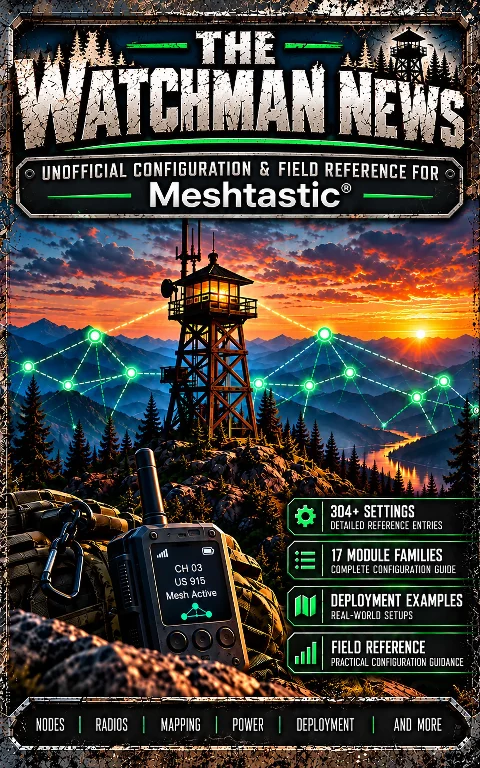
Independent technical reference · The Watchman News
Unofficial Configuration & Field Reference for Meshtastic®
223 pages · Edition 1.0 · PDF + EPUB
Already using Meshtastic and want a clearer understanding of its settings? This independently published reference from The Watchman News brings together configuration options, documented defaults, dependencies and field considerations in one searchable resource.
Explore 304 configuration settings and supporting reference records, 17 optional module families, six deployment examples and an alphabetical setting index.
A technical configuration and field reference—not a beginner’s step-by-step tutorial. Some familiarity with Meshtastic devices and their basic operation is expected.
Not affiliated with or endorsed by the Meshtastic project. Documentation research cutoff: October 6, 2026; settings and firmware may change.
View on EtsyDigital download only: PDF, EPUB and source/license information included. See Etsy for current pricing and purchase details.
Technical guidance checked against the linked official Meshtastic documentation on October 13, 2026. Highland Patriots is an independent community initiative. Meshtastic is a separate open-source project. Return to Preparedness →